Get started

Lunevo in about ten minutes.

Get a supported GL.iNet travel router and let the Lunevo app do the rest — it downloads Lunevo OS, installs it, and sets up your network, all from your phone. No computer or command line needed.

GL.iNet Beryl AX travel router supported by Lunevo No computer needed

Step one

Pick your router.

Both run the full Lunevo server — AirPlay in, synchronized audio out to every phone, tablet, and speaker on the network. Either works; the difference is speed and price. Match the model number when ordering.

Best value GL.iNet Beryl AX (GL-MT3000) travel router
Wi-Fi 6 travel router

Beryl AX — GL-MT3000

Everything Lunevo needs at the lowest price. A proven pocket router that handles a full crew of listeners without breaking a sweat.

  • Wi-Fi 6 — 2402 + 574 Mbps
  • 2 × gigabit Ethernet, USB 3.0
  • USB-C power, 196 g
  • Typically under $100

As an Amazon Associate, Lunevo earns from qualifying purchases. The same models from any reputable seller work identically — what matters is the model number, GL-MT3000 or GL-MT3600BE.

Step two

The app sets it up.

Open the Lunevo app, tap Set up or reset a device, and choose GL.iNet Router. The rest looks like this:

STEP 01

Download Lunevo OS.

The app downloads the right Lunevo OS image for your exact router model, straight to your phone.

Lunevo app downloading the Lunevo OS installer
STEP 02

Connect to the router.

Plug the router in and join its own Wi-Fi network — the name and password are printed on the label underneath. Guided, step by step, in the app.

Lunevo app walking through joining the router's Wi-Fi network
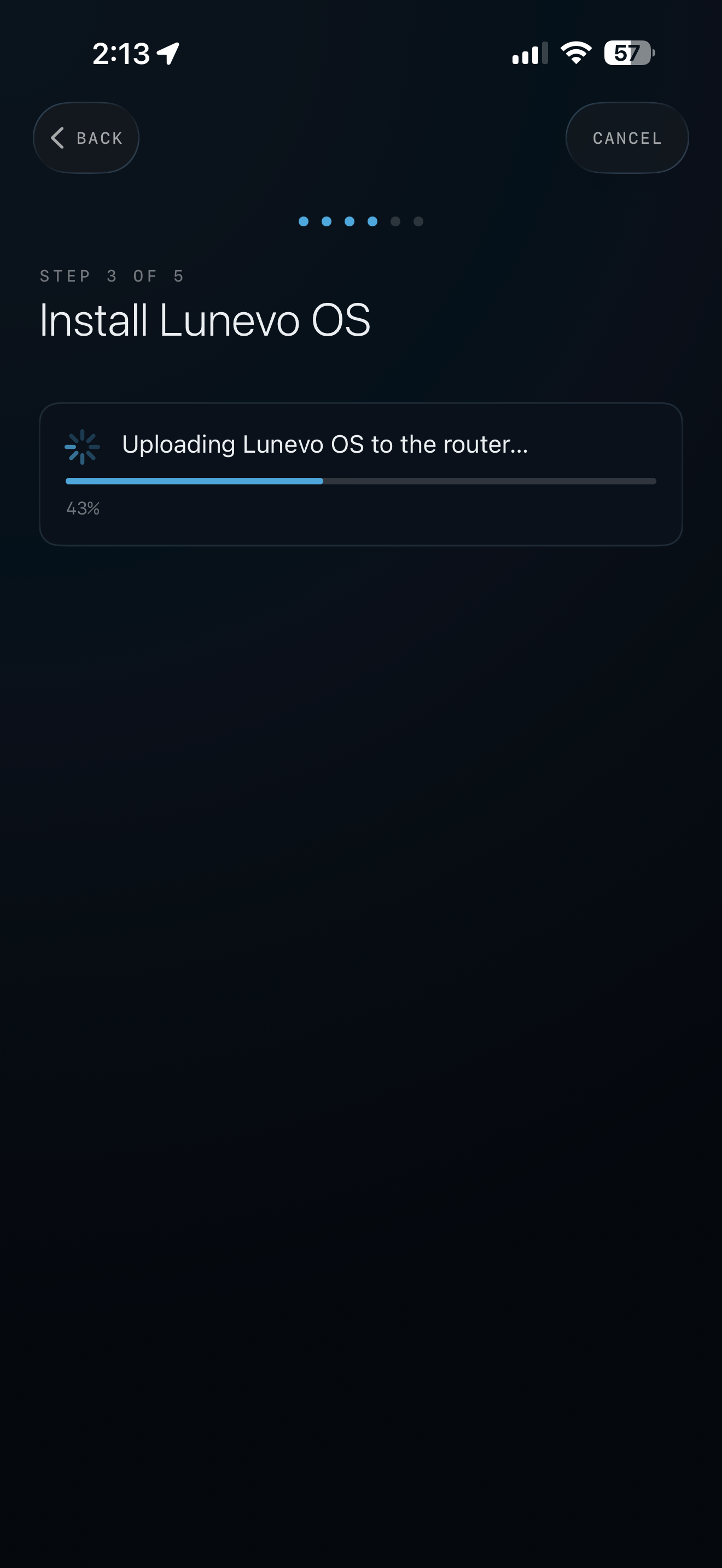
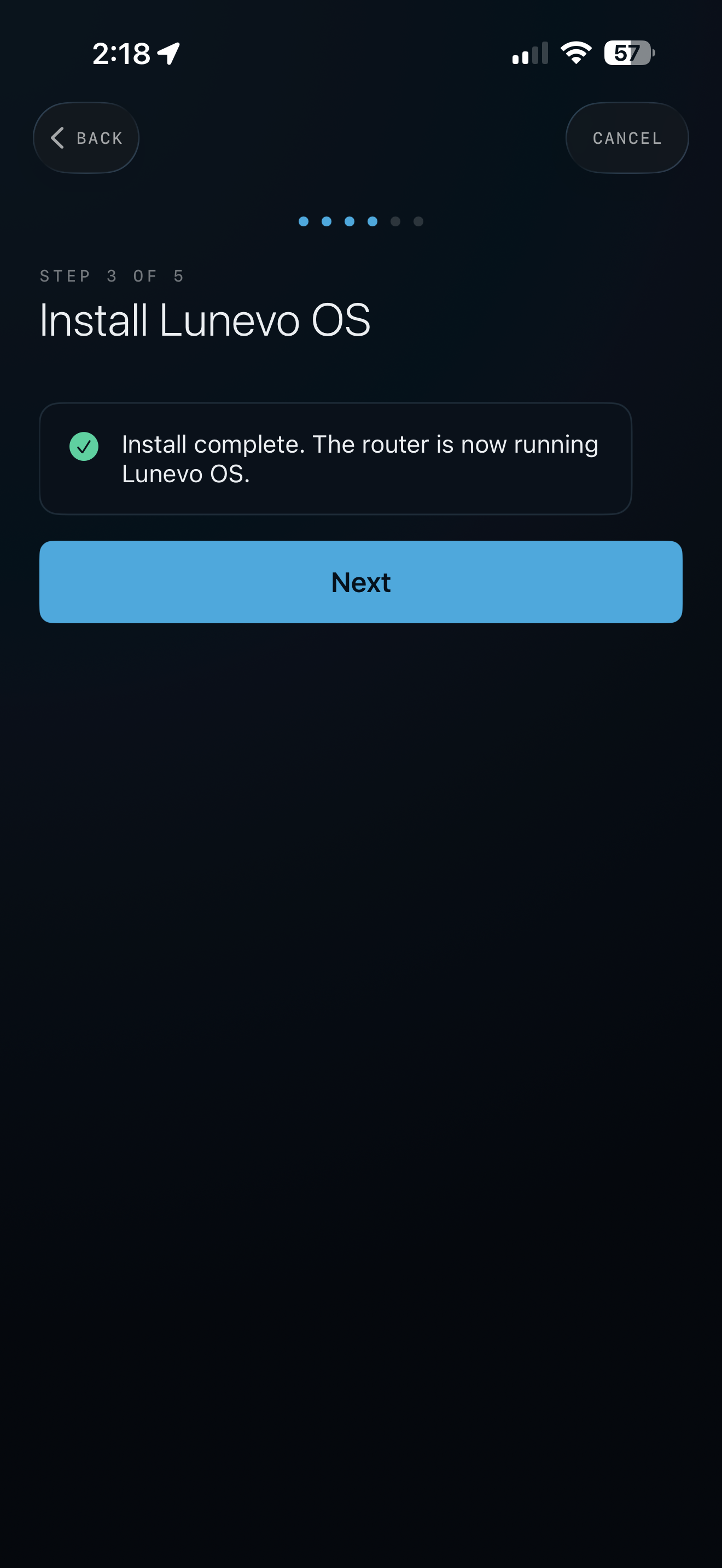
STEP 03

Install and walk away.

The app writes Lunevo OS, the router restarts itself once, and your LunevoAudio network appears. About ten minutes, start to finish.

Lunevo app installing Lunevo OS with a progress bar
Installing replaces the router's stock software with Lunevo OS — it becomes a dedicated audio server. You can restore the original GL.iNet firmware at any time with its built-in recovery.

Step three

Everyone just joins.

Listeners join the LunevoAudio Wi-Fi and tap the stream in the free app — or AirPlay straight from any iPhone, iPad, or Mac. Every device plays in perfect sync, and one person controls the volume for the whole group.

Lunevo app player view with now playing, group volume, and sync status
Now playing, group volume, live sync status
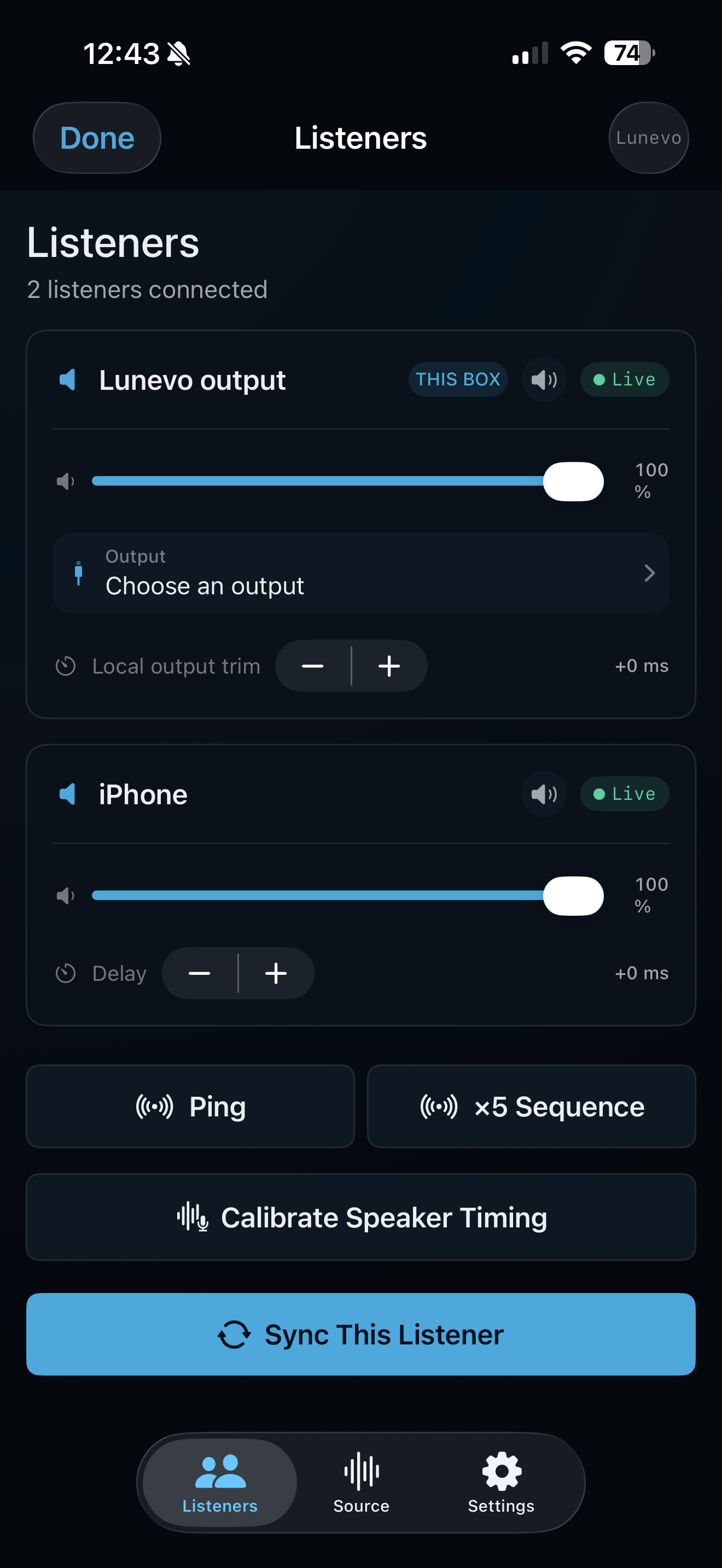
Lunevo app listeners view showing three connected listeners
Every listener, individually tunable

Want it ready out of the box?

Preinstalled, tested Lunevo devices are coming to this store. Until then, a travel router and ten minutes is all it takes.